A Useful DiskInfo Utility for Linux
Announcing the winner of the Computer Giveaway

Read on, winner of this week’s giveaway is revealed below.
The computer this week is a ThinkCentre M710q Tiny with 8GB memory, 120GB SSD storage and Intel i3 (seventh generation) processor.
I do a drawing every week to give away a computer. Just be a subscriber for a chance to win.
QDiskInfo - A Useful Linux Utility
For years, I’ve been using Gnome Disk Utility to check the SMART status of storage drives with a SATA interface. But in the last few years, nvme storage drives are much more common and Gnome Disk Utility does not have a SMART report for them.
Since I work with used hardware all the time, having a way to test nvme storage drives is crucial.
I had resorted to using CrystalDiskInfo on Windows. CrystalDiskInfo is open source and quite useful. My only complaint is that it is a Windows-only application.
This last week I found QDiskInfo, which has the utility of CrystalDiskInfo but runs on Linux.
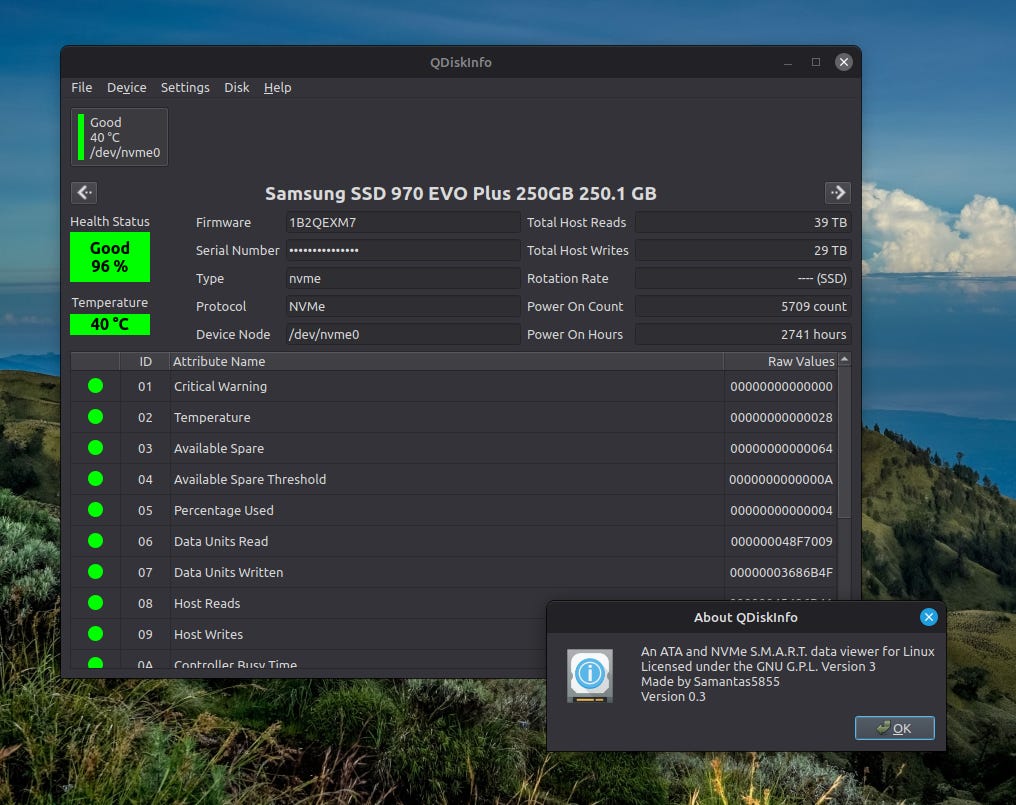
It is in the current Ubuntu and Debian 13 software repositories and can be installed with:
apt install qdiskinfo
It is also available as an AppImage. This allows it to be easily downloaded and run on most Linux systems, even if it is not in that distro’s software repositories.
You can find the AppImage download in the Releases section of github page for qdiskinfo.
https://github.com/edisionnano/QDiskInfo
If you haven’t used an AppImage before, I recommend trying the package format. You just download the AppImage file, then change the permissions of that file to make it executable and then run by double-clicking on it or executing it from the command line.
Computer Giveaway Winner Announced!
snrh**99@*mail.com
If that’s you, reply from that email address to claim this ThinkCentre Tiny .
I will attempt to ship the computer to where ever you are in the world… but there may be some places that I can not ship to.
The winner was randomly selected using a command from the GNU Core Utilities.
shuf -n 1 subscriber-export.csv
Here’s a ‘how-to’ style article on shuf:
https://linuxhint.com/bash_shuf_command/
I appreciate you reading and sharing this newsletter. Feel free to reply by email or engage with me on the fediverse.
Until next time,
— Matthew from RetroEdge.Tech